> ## Documentation Index
> Fetch the complete documentation index at: https://docs.tied.com/llms.txt
> Use this file to discover all available pages before exploring further.

# Quickstart

> Ten minutes from an empty account to watching an AI agent resolve a real conversation.

By the end of this you will have connected a channel, given an agent something to know, sent a real message, and seen exactly what it cost. That last part matters — it makes pricing concrete before you've committed to anything.

<Info>
  **What you need:** a Tied account and about ten minutes. No card, no DNS changes, and nothing to
  install. We'll use web chat because it's the only channel that needs no verification or carrier
  approval — you'll be live in under a minute.
</Info>

<Steps>
  <Step title="Create your account" icon="user-plus">
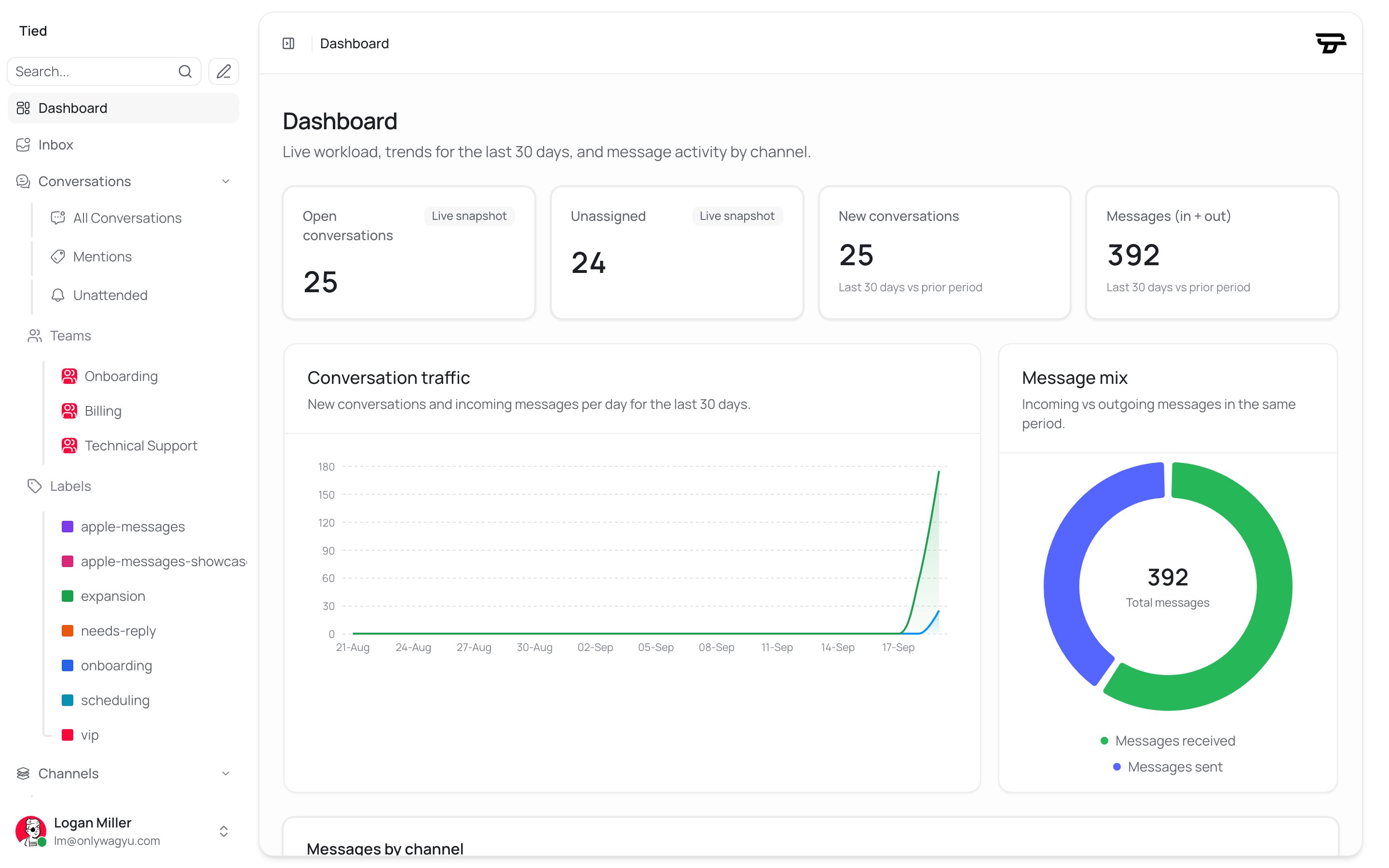
    Sign up and name your workspace. You'll land on the home dashboard with an empty inbox.
    <img src="https://mintcdn.com/tied/EKg57bTFCkV_E_Je/images/quickstart-dashboard-home-light.png?fit=max&auto=format&n=EKg57bTFCkV_E_Je&q=85&s=8e94d4dfbc319c9a6ba5283ae0b2cdbc" alt="The Tied dashboard home screen." className="block dark:hidden w-full my-6" width="2880" height="1800" data-path="images/quickstart-dashboard-home-light.png" />

    <img src="https://mintcdn.com/tied/EKg57bTFCkV_E_Je/images/quickstart-dashboard-home-dark.png?fit=max&auto=format&n=EKg57bTFCkV_E_Je&q=85&s=7714ce36323d5f6cbad27f78c4acd4d2" alt="The Tied dashboard home screen." className="hidden dark:block w-full my-6" width="2880" height="1800" data-path="images/quickstart-dashboard-home-dark.png" />
  </Step>

  <Step title="Give your agent something to know" icon="book-open">
    Go to **AI agents** and create one. Before touching channels, give it a knowledge source — an agent
    with nothing to draw on can only escalate, which makes for a dull first test.

    The fastest option is to point it at a URL: your existing help centre, your FAQ page, even your
    marketing site. Tied will crawl and index it.

    <Tip>
      If you have no content anywhere yet, paste in three or four of your most-asked questions and their
      answers. It's enough to see the whole loop work, and you can replace it properly later.
    </Tip>
  </Step>

  <Step title="Connect the web chat widget" icon="message-circle">
    Go to **Channels → Web chat** and create an inbox. Attach the agent you just made.

    The inbox settings page gives you a script tag with your own website token and base URL already
    filled in. **Copy it from there** rather than from here — the token in it is yours. It looks
    like this:

    ```html theme={null}
    <script>
      (function(d,t) {
        var BASE_URL="https://your-tied-instance.com";
        var g=d.createElement(t),s=d.getElementsByTagName(t)[0];
        g.src=BASE_URL+"/packs/js/sdk.js";
        g.defer=true; g.async=true;
        s.parentNode.insertBefore(g,s);
        g.onload=function(){
          window.chatwootSDK.run({
            websiteToken: "YOUR_WEBSITE_TOKEN",
            baseUrl: BASE_URL
          })
        }
      })(document,"script");
    </script>
    ```

    Drop it in before the closing `</body>` tag on any page you control.

    No website handy? The inbox settings page has a live preview you can talk to directly.

    <img src="https://mintcdn.com/tied/EKg57bTFCkV_E_Je/images/quickstart-webchat-settings-light.png?fit=max&auto=format&n=EKg57bTFCkV_E_Je&q=85&s=4b6390d29dcd23ea202f0937548d2607" alt="The inbox list in settings, with the web chat inbox connected." className="block dark:hidden w-full my-6" width="2880" height="1800" data-path="images/quickstart-webchat-settings-light.png" />

    <img src="https://mintcdn.com/tied/EKg57bTFCkV_E_Je/images/quickstart-webchat-settings-dark.png?fit=max&auto=format&n=EKg57bTFCkV_E_Je&q=85&s=7596f354e3fadd352242920055191bd1" alt="The inbox list in settings, with the web chat inbox connected." className="hidden dark:block w-full my-6" width="2880" height="1800" data-path="images/quickstart-webchat-settings-dark.png" />
  </Step>

  <Step title="Send a message as a customer" icon="send">
    Open your page — or the preview — and ask the agent something your knowledge source covers.
    Something a real customer would ask, not "hello".

    The agent should answer from knowledge within a few seconds.
  </Step>

  <Step title="Watch it land in the inbox" icon="inbox">
    Switch to **Inbox**. The conversation is there, with the agent's reply already in the thread and an
    activity entry showing it handled things.

    This is the view your team will live in. Everything from every channel arrives here.

    <img src="https://mintcdn.com/tied/EKg57bTFCkV_E_Je/images/quickstart-inbox-conversation-light.png?fit=max&auto=format&n=EKg57bTFCkV_E_Je&q=85&s=cfed2d056764f3cac4e2f1f8c27d0e2e" alt="A conversation open in the shared inbox, with the reply composer below it." className="block dark:hidden w-full my-6" width="2880" height="1800" data-path="images/quickstart-inbox-conversation-light.png" />

    <img src="https://mintcdn.com/tied/EKg57bTFCkV_E_Je/images/quickstart-inbox-conversation-dark.png?fit=max&auto=format&n=EKg57bTFCkV_E_Je&q=85&s=7ed67b427b8f7726783b53bb0386589e" alt="A conversation open in the shared inbox, with the reply composer below it." className="hidden dark:block w-full my-6" width="2880" height="1800" data-path="images/quickstart-inbox-conversation-dark.png" />
  </Step>

  <Step title="Confirm it worked" icon="circle-check-big">
    As the customer, reply *"perfect, thanks"* — or whatever a satisfied person actually says.

    That's a **Tier 1 explicit confirmation**, the strongest resolution signal there is. Without some
    positive signal, nothing would be billed at all: [silence never bills](/pricing/resolutions).
  </Step>

  <Step title="See what it cost" icon="receipt">
    Open the conversation's receipt.

    You'll see a `knowledge` resolution — the agent answered from what it knew without touching any
    external system — at **\$0.35**, plus the model tokens at whatever the provider charged, with no
    markup. Typically a fraction of a cent.

    The receipt names which signal tier was relied on, which discriminator assigned the class, and the
    itemized token cost. That is the whole bill for that conversation.
  </Step>
</Steps>

## What just happened

You ran the entire [message lifecycle](/message-lifecycle) end to end: a message arrived on a channel, landed in an inbox, was picked up by an AI agent, got answered from knowledge, and produced a positive signal that turned into exactly one billable resolution.

Everything else in Tied is that same path with more capability at each step.

## Next

<CardGroup cols={2}>
  <Card title="Connect a real channel" icon="radio-tower" href="/channels">
    Apple Messages, RCS, SMS, WhatsApp and the rest — capabilities and setup effort compared.
  </Card>

  <Card title="Let the agent act" icon="blocks" href="/integrations/connecting">
    Connect an app so it can look things up and fix them, not just answer.
  </Card>

  <Card title="Setup checklist" icon="list-checks" href="/setup-checklist">
    The five things to do first, in the order that avoids rework.
  </Card>

  <Card title="Understand pricing" icon="receipt" href="/pricing">
    Two numbers per resolution, and why most conversations produce none.
  </Card>
</CardGroup>


This documentation is built and hosted on [Mintlify](https://mintlify.com), a developer documentation platform.